Audio Interfaces for your Mac
Get the right Audio Interface for your Macbook, MacBook Pro, Mac Mini, iMac and Mac Pro
 |
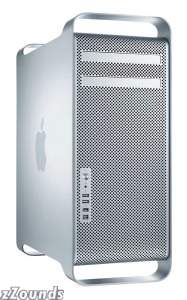 |
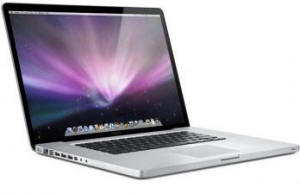
There are a few things to watch out for if you have a late model Mac. First, the PCI interfaces are not going to work with any of the Mac Pros, and of course not with any of the Mac Books, Mac Book Pros or iMacs. Today's Mac Pro has a PCIe slot format. This will not work with PCI cards. Most of us would probably not need a Mac PCIe interface. Professionals with high i/o needs may want to go the MOTU PCIe route with a MOTU 24io, and a MOTU 2408 Mk 3. These are for large multi track systems with digital mixers. The Home studio enthusiast has many other options and they are mainly firewire options. That is what we'll mainly focus on here.
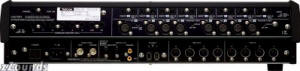
Tweak: This is the back of a
Tascam FW1884, and
audio interface with plenty of i/o. Click the pic to enlarge.
When comparing features like i/o be sure to check out these comparison charts
Firewire interfaces generally work well with the current iMacs, MacBook Pros, Mac Minis and the Mac pro. Note that newer Macbooks do not have firewire. USB 2.0 interfaces are valid for those Macbooks and all the others as well. At the bottom of the page you'll find lots of polls, user reviews and discussions from our forums.
Keep in mind there are more audio interfaces that will work with your Mac. This is more of a list of those that should form the basis of your research. I am not including Digidesign interfaces here because they have done extensive compatibility theses on their website. That is where you should research matching your Mac to an appropriate Digidesign or m-audio interface.
When considering any audio interface there are 4 things that create the perfect storm for you.
- 1. excellent functioning drivers for your OS and applications
- 2. excellent sounding converters
- 3. excellent sounding preamps
- 4. sufficient and appropriate i/o for your studio
You can always add on different preamps and converters to nearly any audio interface. Preamps will plug into the line inputs and converters will use s/pdif i/o. But there are two things you cannot change, or fix, with the interface you eventually choose. You can't go in and re-write driver code. The drivers manage the "traffic" from inputs to software to outputs and are at least partially to blame for latency issues, clicks and pops, and other nasties. Also you cannot change your i/o. If you get a box with 2 analog inputs and outputs, even if you buy a 100 channel mixer you can't change the fact that from the standpoint of the computer you have 2 channels in and 2 out and that will limit how many tracks you can record at one time to two. Its a great plan to get more i/o than you need. You can do this by choosing an interface with an ADAT "lightpipe" input. This gives you 8 digital inputs into your system. You could add a rack of 8 analog preamps that have ADAT digital out.

The back panel of the MOTU 828mk3. Click the pic to enlarge
You can find audio interfaces for your Mac from $150 to $2,000 on this page. What is the difference? As above, quality of components for the preamps, converters and the number of hardware i/o. There is the research and development cost of making solid drivers, beta testing them among various applications, keeping the drivers updated through software and Operating system revisions. Finally there is the build quality of the box, brand name recognition, status in the professional community and how well the company follows Apple through its changes.
Low Cost (under $500)
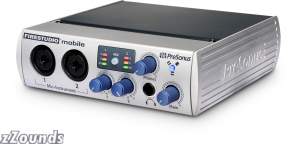
PreSonus FireStudio Mobile FireWire Audio Interface |
 |
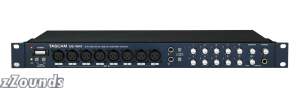
Tascam US1641 USB 2.0 Audio/MIDI Interface
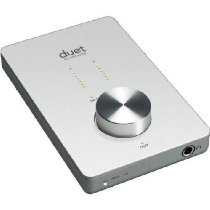
Apogee Duet
Also, look at the Mackie Onyx 820i 8-Channel Premium Analog Mixer with FireWire Interface
Mid Cost ($500-$1000)
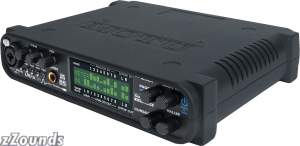
Motu ultralite Mk3
Motu 8 pre
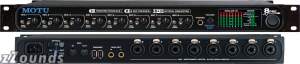
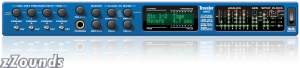
Motu 828 mk3, Traveler
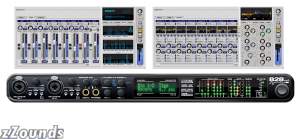
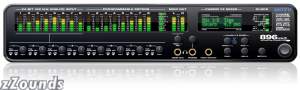
| Mark of the Unicorn (MOTU) 896mk3 Firewire Audio Interface |
 |
Higher Cost ($1000.00 plus)
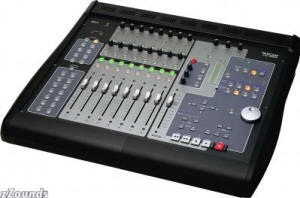
Tascam FW 1884
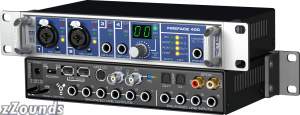
RME Fireface 400
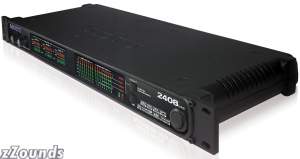
| Mark of the Unicorn (MOTU) 2408mk3 Digital Audio Interface |
 |
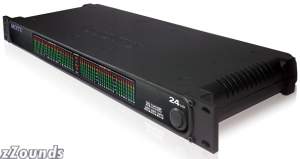
| Mark of the Unicorn (MOTU) 24IO 24-Channel Audio Interface |
 |
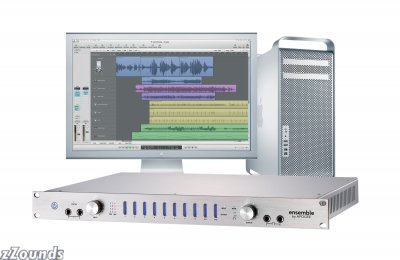
Apogee Ensemble
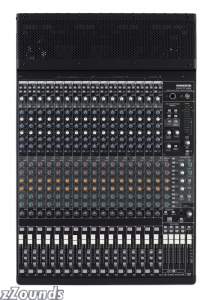
Mackie Onyx 1640i 16-Channel Premium Analog Mixer with FireWire Interface |
 |
Metric Halo
Cool Threads
- Audio interface for mac pro
- Poll The Best Firewire Interface Under $300 for MAC is
- Poll The Better Firewire Interface for a MAC $300 to $500 is...
- Firewire Port problem Late 2007/ Early 2008 iMac
- Non Ti based Apple Macs RME Fireface workaround.
- Review Tascam 1641
- Ideal Logic System
- MacBook, RNP and ?
- MOTU 8Pre, the next thing?
- MOTU Ultralite Review
- Finally got my Macbook Pro!
- Tascam FW-1082
- Apogee Ensemble vs. RME Fireface 800
- MacPro with Duet or Macbook Pro with Ensemble
- Mackie Onyx 1640, any reviews??
- Hey! Look at MEEE! I'm over here SCREAMING AND FLAILING!
- tascam fw 1082 integration ?
- Motu Vs. Mackie
Cool Links
- Is it Time to Go Mac Yet?
- Mac vs PC DAWS
- Tweak's Review of the 828mk2
- Review of the Apple G5
- Apple Discussions: Presonus Firestudio Project (See for Tascam us1641)
- More on the iMac FW bug
Back to Soundcards and Audio Interfaces
SoundCards and
Audio Interfaces